Install fiji-mcp
claude — Round 1
% git clone https://github.com/SteffenPL/fiji-mcp.git && cd fiji-mcp
✱ fiji-mcp repository cloned
% uv sync
✱ Python environment ready
% uv run fiji-mcp install
Fiji found at /Applications/Fiji.app
Bridge plugin copied to Fiji plugins/
Fiji path saved to .fiji-path
✱ bridge plugin installed into Fiji
% claude mcp add --scope project fiji-mcp -- uv run --directory /Users/steffen/fiji-mcp fiji-mcp
Added fiji-mcp to project MCP config (.mcp.json)
✱ MCP server registered
›
Open the ImageJ sample image blobs.gif in Fiji using the run_ij_macro tool with this macro code: open("https://imagej.net/images/blobs.gif");
(Fiji Is Just) ImageJ
(Fiji Is Just) ImageJ
Log
[fiji-mcp] Bridge started on port 8765
[fiji-mcp] WebSocket server started on port 8765
[fiji-mcp] Client connected: /[0:0:0:0:0:0:0:1]:502
⚡ fiji-mcp · run_ij_macro
open("https://imagej.net/images/blobs.gif"); ●
›
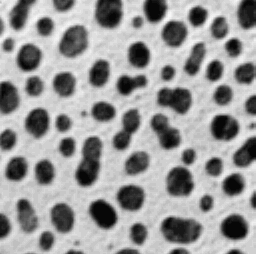
Now get a thumbnail of the opened blobs.gif image using the get_thumbnail tool.
⚡ fiji-mcp · get_thumbnail
title: blobs.gif
blobs.gif 256×254 · 8-bit · inverted LUT
●
Install fiji-mcp
(Fiji Is Just) ImageJ
Log
[fiji-mcp] Bridge started on port 8765
[fiji-mcp] WebSocket server started on port 8765
[fiji-mcp] Client connected: /[0:0:0:0:0:0:0:1]:502
blobs.gif 256×254 · 8-bit · inverted LUT
Tutorial (0 / 7)
0.0
Tutorial (0 / 7)
0.0